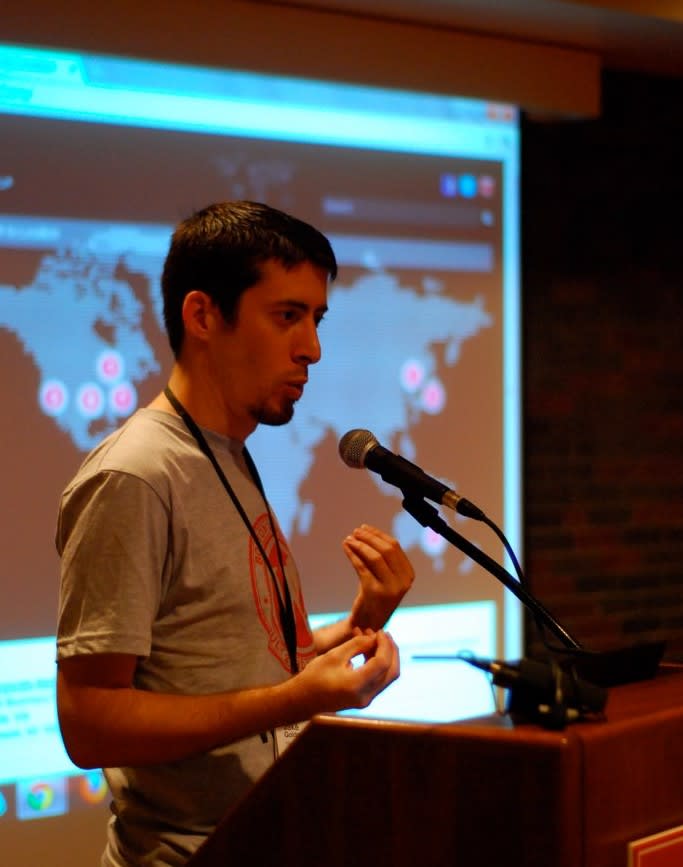
WWCD? Or, What Would Core Do? Yesterday, at WordCamp Miami, I finally debuted a talk that I had been thinking about for some time. I see WWCD as the third and capstone talk in my “extending WordPress administration” series, and it’s my favorite of the set.
The series began in 2010 at Chicago with “Hijacking WordPress Admin” – one of the first talks to focus on hooks and techniques to generally tailor the administrative panel to individual clients. You can only fit so much into a talk, so rather than focus on good user interface, I focused on sometimes over the top examples to illustrate the idea that the admin panel is actually remarkably flexible. After a few repeats at different WordCamps, I used WordCamp Chicago 2011 to debut the second in the series: “Editing the Visual Editor.” This time, the focus was solely on methods to customize the visual editor and refine the writing experience – the place where publishers spend most of their time.
The capstone talk is the lightest on code (two quick slides at the end). Rather, it gets back to the philosophy of extending WordPress administration, and challenges plug-in and theme authors to “do better.” It’s a fun look at some terrible plug-in practices, with a serious underlying point: when you build on WordPress, do you think about how the core development team would approach the problem?
We’ll hopefully have the video from WordPress.tv soon, as well.
I had a blast guest co-hosting episode 3 of the WP Late Night podcast with WPCandy’s Ryan Imel and WebDevStudios’ Brad Williams. Hear my thoughts on default WordPress themes, BuddyPress growing up, whether the “widgets” concept is broken, how we build themes at 10up, and more. Or just enjoy the banter as Brad and I joke about friendly competition in the WordPress community.
The slides I already posted are the best guide to my talk on editing WordPress’ visual editor, but if you’d like to see the narrative and discussion that go along with it, check out this video on WordPress.tv from WordCamp Chicago 2011.
These are the slides from a talk I gave at the 2011 WordCamps (WordPress conferences) in Chicago, Philly, and Orlando. I consider this a “sequel” to a broader talk on editing the WordPress administrative experience that I like to think I pioneered in 2010 at a few WordCamps, including Chicago and Mid-Alantic, which several new speakers now seem to be running with.
WordPress’s visual content editor (TinyMCE) is, in many ways, at the heart of WordPress’s content management experience. It’s where editors spend most of their time, and where content is crafted to appear on the front end of your site. Like most of WordPress, the editor can be customized to be both more powerful and more specific to the needs of an individual site or client. This presentation covers topics including custom editor stylesheets based on post type, modifying and removing buttons from the editor, and even creating your own custom buttons for the TinyMCE toolbar. It even covers brand new WordPress 3.3 techniques introduced with the new wp_editor function.
Had a great time with Helen at WordCamp Philly. In case you missed it, Helen was one of four panelists speaking to WordPress in higher education during lunch, where she discussed her experience rolling out the Eastman School of Music’s website in WordPress. Helen was the only panelist from a consulting shop. I shared my Editing the Visual Editor talk in the developer track. The presentation was updated to incorporate a new tip and feature some of the relevant new tools WordPress 3.3 – and the new wp_editor function – put at our finger tips. Both of us also participated in the core development session on Sunday, and submitted core patches.
A week and a half later, here are the slides from my WordCamp Boston 2011 talk, “Introducing WordPress as a CMS”. Unfortunately, the slides don’t include my live demo of some CMS-centric implementations, which I think was eye opening to a few participants.
None-the-less, if you’re looking for an overview of content management concepts applied to WordPress, you can find them here. I’ve uploaded the slideshow as a video to YouTube (to preserve its feel); the video moves quickly, so you might have to be quick on the pause button!
WordCamp Boston 2011 was every bit as informative, fun, and inspiring as we expected.
Like most great WordCamps, Boston wasn’t just a venue for some great sessions; it was an opportunity to chat it up with a diverse crowd that ranged from lead WordPress contributors to new users just discovering the ways they can use the booming content management system. On Saturday morning – the first day of the event – I finally found the time and inspiration to send in a short sponsorship blog post. Recalling memories of WordCamp Boston 2010, I was excited for the event, and it didn’t disappoint.
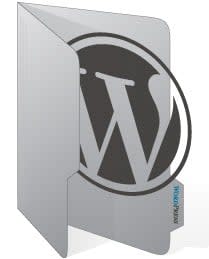
At 10up, are freebies usually come in the form of WordPress code: tips, themes, and plug-ins. While a bit atypical, I wanted to share this folder icon we designed from scratch. It incorporates the WordPress logo, which is available here in vector format.
Designed with the gray WordPress color palette in mind, this icon can add some flair to your WordPress folder(s) on your computer. There’s a full sized, beautiful 256px version, along with a small version fine tuned for the common 16px icon size.
We’re providing them for free with a GPL license, in original vector (Adobe Illustrator CS5 and SVG) formats as well as 256px PNG format and Windows ICO format. As always, we do politely request that if you use these for a client or commercial project, please give us attribution. Donations are welcome!

 Jake Goldman

 At 10up, are freebies usually come in the form of WordPress code: tips, themes, and plug-ins. While a bit atypical, I wanted to share this folder icon we designed from scratch. It incorporates the WordPress logo, which is available here in vector format.